
Latest Version
KDE
Communication
Linux
Free
org.kde.krdc
Report a Problem
More About KRDC
Managing multiple systems often requires a reliable tool to access graphical environments remotely, and the KRDC remote desktop client by KDE stands out as a premier solution for Linux users. Designed to streamline network administration and remote collaboration, this application provides a unified interface to view or fully control active desktop sessions on other machines. Whether you are managing a headless server in the basement or assisting a colleague across the globe, it delivers a stable and integrated approach to remote management.
Seamless Protocol Integration with KRDC Remote Desktop Client
One of the core strengths of the KRDC remote desktop client is its native support for the two most prominent remote display protocols:
- Virtual Network Computing (VNC): Excellent for platform-independent screen sharing, allowing you to connect to various Unix, macOS, or Windows machines running a compatible VNC server.
- Remote Desktop Protocol (RDP): Ideal for connecting to Windows-based environments with optimized performance and resource sharing.
Instead of switching between different command-line utilities or separate software packages, users can manage all their active remote connections within a single, tabbed window interface. This significantly reduces desktop clutter and simplifies multitasking across different environments.
Who is This Remote Desktop Tool For?
As a key utility in the KDE ecosystem, this application is highly beneficial for several user profiles:
- System Administrators: Monitor and configure remote servers or user workstations without leaving your local Linux desktop.
- IT Support Specialists: Provide real-time troubleshooting and interactive assistance by taking direct control of a client's desktop session.
- Remote Workers: Access your primary office workstation and files securely from your home computer.
A Clean, Usable Approach to Remote Administration
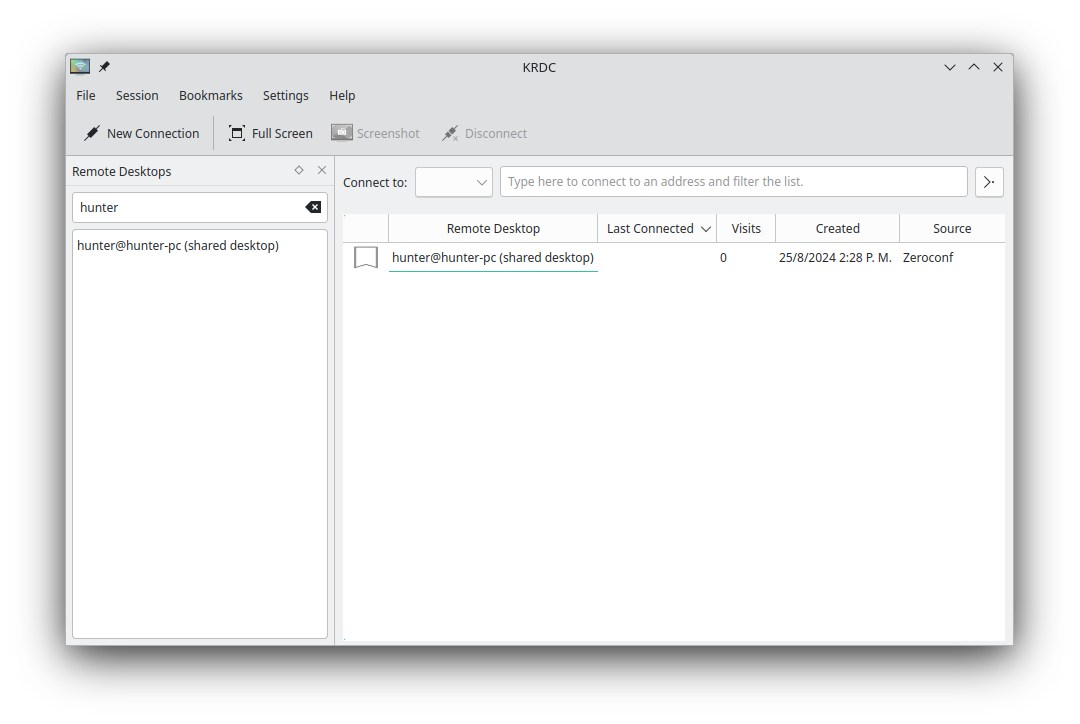
The user experience is built around efficiency. Users can quickly input the hostname or IP address of the target machine, select the preferred protocol, and establish a connection immediately. The software also allows you to save frequently accessed connections, making it incredibly fast to reconnect to your most important servers with a single click. Because it integrates deeply with the Linux platform, it respects system-wide configurations and desktop scaling, ensuring that your remote sessions look crisp and remain highly responsive.
Get Started with Remote Connections
If you are looking for a dependable, open-source method to manage remote machines directly from your Linux system, this software is an excellent choice. To explore its features and integrate it into your workflow, head over to the official Flathub store page to check out the application.
Rate the App
User Reviews
Other Apps in This Category



Popular Apps










Editor's Choice