

Latest Version
Appwork GmbH
Linux
Free
org.jdownloader.JDownloader
Report a Problem
More About JDownloader
Managing multiple web downloads can quickly become a chaotic chore, but the JDownloader download manager for Linux streamlines the entire process into a seamless, automated workflow. Designed specifically to handle complex queues, premium hosting links, and archive extractions, this open-source utility takes the manual labor out of downloading large volumes of data. Whether you are grabbing extensive media sets or managing multi-part archives, it serves as a highly efficient command center for your incoming files.
What is the JDownloader Download Manager?
At its core, the JDownloader download manager is an independent, community-supported framework engineered to accelerate and organize your file transfers on Linux. It bridges the gap between web browsers and your local storage by taking full control of your download links. Because it is highly customizable, users can tailor the interface and automation rules to match their specific downloading habits.
Key Features and Automation Capabilities
This utility stands out because it does not just fetch files; it manages them intelligently. Below are the standout capabilities that make the JDownloader download manager a must-have tool:
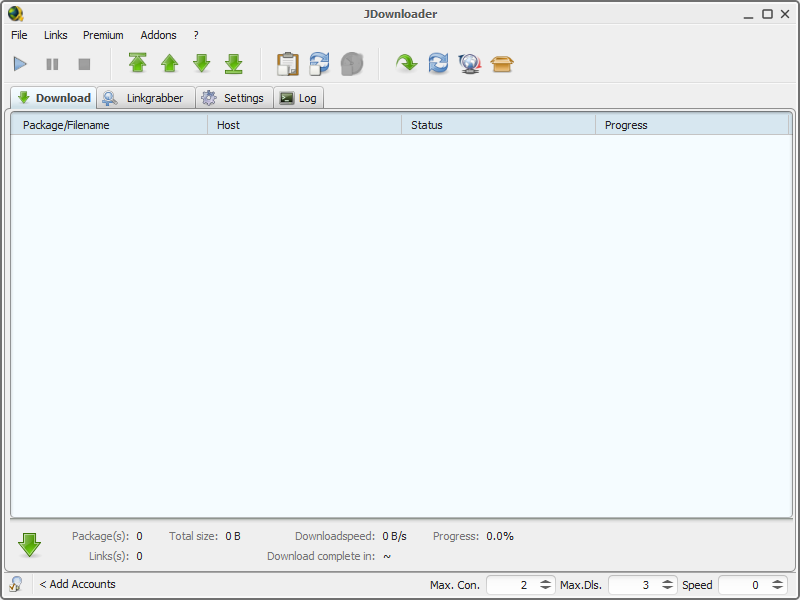
- Comprehensive Queue Control: Easily start, pause, or stop downloads at any time to prioritize your bandwidth.
- Bandwidth Limitations: Set strict speed limits so your downloading activities do not interrupt your daily web browsing or streaming.
- Automatic Archive Extraction: Save valuable time with built-in tools that automatically unpack ZIP, RAR, and other compressed archives as soon as they finish downloading.
- Extensible Framework: Benefit from a massive community-driven ecosystem that regularly updates plugins and add-ons to support various hosting platforms.
Who is This Linux Download Utility For?
If you frequently find yourself downloading large files, multi-part archives, or managing slow browser-based downloads that constantly fail, this application is built for you. It is particularly valuable for Linux power users who appreciate having fine-grained control over their network traffic and local storage organization without needing to monitor the progress bar constantly.
An Independent Community Package
It is important to note that this specific Linux release is a community-packaged version of the software. While it is built upon the robust technology created by Appwork GmbH, this flatpak package is maintained by the community to ensure it runs flawlessly on modern Linux distributions, offering a sandboxed and secure environment for your downloading tasks.
Get Started with JDownloader
Ready to upgrade your downloading workflow on Linux? Experience how the JDownloader download manager can revolutionize your file queues. To explore this powerful utility and add it to your system, head over to the official Flathub store page to view the package details and installation instructions.
Rate the App
User Reviews
Other Apps in This Category


Popular Apps










Editor's Choice